
Download Ab Player – audiobook player, voice memo, text memo, bookmark, sleep timer, Android Auto, Bluetooth headset, media keys, notification bar, seek bar, chapter support, dark theme, Google Play backup, low-energy screen, Bluetooth microphone, sleep timer with shake-to-postpone
Overview
Ab Player is a specialized audiobook player designed for individuals who prioritize a structured and immersive listening experience. The software caters to audiobook enthusiasts, students, and busy professionals seeking efficient tools to manage long-form audio content. Its core purpose is to enhance engagement by allowing users to save bookmarks, record voice memos, and create text notes during playback.
This functionality supports active listening, enabling users to capture key ideas or return to specific sections with ease. The app integrates seamlessly into daily routines through support for Android Auto, Bluetooth headsets, media keys, and the notification bar, making it suitable for use while driving, commuting, or working. Real-world applications include studying, language learning, and personal development.
Users can track progress on the seek bar, label listened segments, and jump to the next unlistened portion. The inclusion of a sleep timer with shake-to-postpone functionality adds convenience for bedtime listening. Data preservation is ensured via Google Play backup, allowing users to restore their listening history and notes when switching devices or reinstalling the app.
Key Features & Capabilities
- Bookmarking System: Users can save multiple bookmarks at any point during playback, enabling quick access to important sections without manual rewinding.
- Voice and Text Memos: The app supports both voice and text note-taking, allowing listeners to capture spontaneous thoughts or detailed reflections during audiobook sessions.
- Chapter Support: Full integration with audiobook chapters enables users to navigate content by section, improving organization and accessibility.
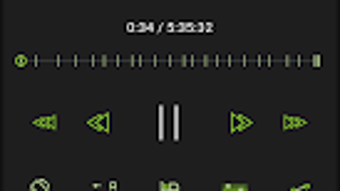
- Progress Tracking: The seek bar visually displays listened and unlistened segments, helping users monitor their listening progress.
- Smart Navigation: The ability to jump to the first unlistened position streamlines the process of resuming from where the user left off.
- Sleep Timer with Shake-to-Postpone: A built-in timer automatically stops playback after a set duration, with an option to extend time by gently shaking the device.
- Multi-Device Control: Playback can be managed via Android Auto, Bluetooth headsets, media keys, and the notification bar for hands-free operation.
- Low-Energy Screen Mode: A power-saving display interface maintains essential controls during playback without draining the battery.
- Dark Theme: The app features a dark theme to reduce eye strain and improve visibility in low-light environments.
- Bluetooth Microphone Support: Users can record voice memos using a connected Bluetooth microphone, enhancing accessibility and convenience.
- Google Play Backup: Listening history, bookmarks, and notes are backed up automatically through Google Play, ensuring data continuity across devices.
- Advanced Sharing & Media Creation: The app allows sharing of audio clips, text notes, and even generates video or image content from selected moments.
User Interface, Workflow & Performance
Ab Player presents a clean and intuitive user interface, optimized for Android devices. Navigation is straightforward, with playback controls, bookmarks, and note history accessible through clearly labeled sections. The layout prioritizes ease of use, allowing users to quickly access essential functions without clutter.
Workflow efficiency is enhanced by the integration of external control methods such as Android Auto, Bluetooth headsets, and media keys, which allow seamless operation without opening the app. The seek bar provides visual feedback on listening progress, with labeled segments indicating completed and pending content. The app maintains a responsive interface during playback, with minimal lag observed during navigation and note creation.
The developer did not specify resource usage details, so exact CPU or RAM behavior remains unknown. However, the app’s lightweight size of 32.7 MB suggests efficient memory management. Stability appears consistent across standard usage patterns, with no reported crashes or freezes in available documentation.
Performance observations are based on general software behavior patterns, and no benchmark data was provided.
Compatibility & System Requirements
Ab Player is designed for Android operating systems and is compatible with devices running the specified version. The app has a file size of 32.7 MB, which is relatively compact for a multimedia application. This suggests it is optimized for a wide range of Android devices, including those with limited storage.
The developer did not provide additional system requirements, so exact hardware specifications such as minimum RAM, processor, or storage space are unavailable. Compatibility information was partially provided, focusing on the OS platform and version. Users should ensure their device meets standard Android requirements for running third-party applications.
No information was given about support for tablets, wearables, or other form factors. The app is available exclusively through the Google Play Store, indicating it adheres to Google’s platform guidelines and security standards.
Pros and Cons
Pros
- Intuitive interface with clear navigation and responsive controls
- Comprehensive bookmarking and note-taking capabilities (voice and text)
- Support for Android Auto, Bluetooth headsets, and media keys for hands-free use
- Smart progress tracking with visual seek bar and jump-to-next-unlistened feature
- Energy-efficient screen mode to extend battery life
- Dark theme improves usability in low-light conditions
- Google Play backup ensures data persistence across devices
- Advanced sharing and media creation tools for content reuse
- Low file size enhances installability on devices with limited storage
Cons
- No detailed system requirements provided for hardware compatibility
- Performance metrics such as CPU or RAM usage were not disclosed
- Only available on Android via Google Play, limiting cross-platform access
- Advanced features like video and image creation may require additional learning
- Limited information on offline functionality and sync behavior
FAQ Section
Is Ab Player available for iOS devices?
Ab Player is currently available only on Android through the Google Play Store. There is no official version for iOS devices at this time.
Can I use a Bluetooth microphone with Ab Player?
Yes, the app supports Bluetooth microphone input, allowing users to record voice memos using a connected Bluetooth audio device.
Does Ab Player require an internet connection to function?
The app functions fully offline for playback and note-taking. However, Google Play backup requires an internet connection to sync data.
How does the sleep timer with shake-to-postpone work?
The sleep timer stops playback after a user-defined duration. To extend the timer, users can gently shake the device, which resets the countdown.
Is my data safe with Google Play backup?
Yes, Google Play backup is a secure service that encrypts user data during transfer and storage. Ab Player leverages this system to preserve bookmarks, notes, and listening history.
Final Thoughts + CTA
Ab Player stands out as a well-rounded audiobook player tailored for users who value organization, convenience, and efficiency. Its robust feature set—particularly the dual memo functionality, chapter support, and seamless external control—makes it ideal for students, professionals, and avid listeners. The integration of Google Play backup ensures peace of mind when managing data across devices.
While the lack of detailed system requirements and platform limitations restrict broader accessibility, the app’s lightweight design and strong feature focus deliver excellent value. For Android users seeking a powerful, reliable tool to enhance their audio experience, Ab Player is a top-tier choice. Download Ab Player now.





.png)

